
Dependencies
FNX Easy Robberies requires:Installation
- Download the resource from CFX PORTAL.
- Extract the folder into your server resources folder.
- Make sure the folder is named:
- Add this to your
server.cfg:
- Restart your server.
Permissions
The robbery manager is available through the command:server.cfg:
Commands
Configuration Files
The resource uses separated client and server configuration files.Client Config
The client config controls visual and client-side options such as:- marker settings
- blip settings
- UI theme colors
- active robbery HUD
- dispatch alert visuals
- manager UI appearance
Server Config
The server config controls secure server-side options such as:- webhook URLs
- reward handling
- police job names
- staff permissions
- dirty money payout logic
- robbery validation
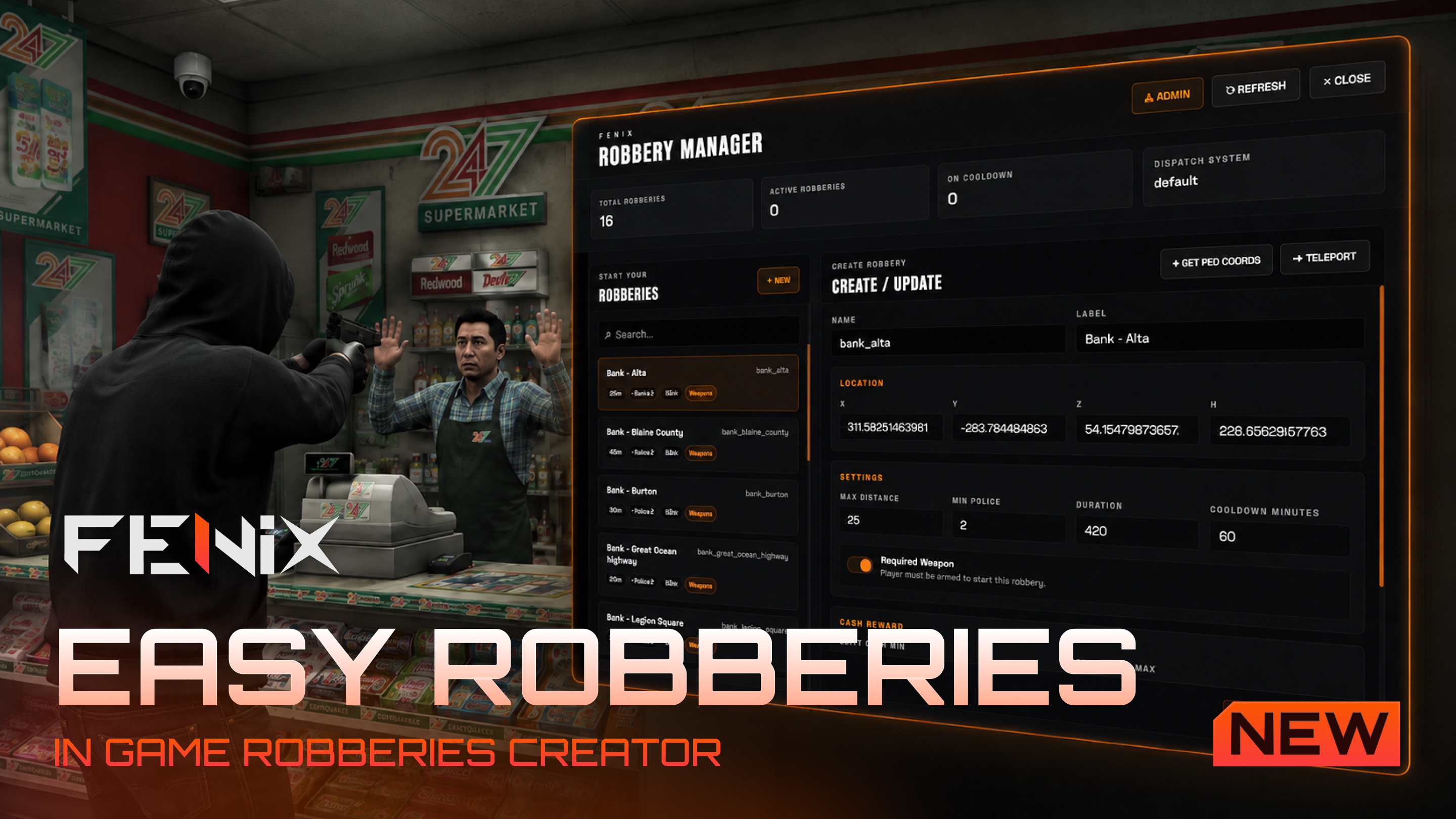
Robbery Manager
The robbery manager allows staff to create and manage robberies directly in-game. Open it with:- create a new robbery
- edit an existing robbery
- delete a robbery
- teleport to a robbery
- get your current ped coordinates
- configure police requirement
- configure rewards
- configure max distance
- configure cooldown
- enable or disable required weapon
- configure robbery duration
Robbery Data
Robberies are saved inside:Default robberies are included inside
robberies.json.Default Robberies
The resource includes default locations for:- shops
- banks
- ETC
You can edit or remove them from the manager UI.
Required Weapon
Each robbery can require the player to be armed. By default,requiredWeapon is enabled.
Cooldown
Each robbery has an independent cooldown. Default cooldown:Cooldowns are stored server-side during runtime.
Rewards
FNX Easy Robberies supports two reward types:- dirty money
- items
Dirty Money
Dirty money can be configured with minimum and maximum values:null.
Item Rewards
Multiple item rewards can be added from the UI. Example:null or left empty.
Dirty Money Handling
Dirty money handling is configured server-side in:
The payout logic is handled server-side to avoid client-side reward exploits.
Dispatch Integration
FNX Easy Robberies uses the Community Bridge Dispatch module. The resource automatically checks the active dispatch system configured in Community Bridge and sends a robbery alert when a robbery starts. Dispatch settings are available in:- robbery location
- robbery label
- alert code
- police jobs
- blip data
The dispatch system is handled through Community Bridge, so you do not need to manually integrate different dispatch scripts inside this resource.
Discord Logs
FNX Easy Robberies supports separate Discord webhook logs. There are two main webhook types:Staff Webhook
Used for staff/admin actions:- robbery created
- robbery edited
- robbery deleted
- staff teleported to robbery
Robbery Webhook
Used for player robbery events:- robbery started
- robbery cancelled
- robbery completed
- payout granted
- security warnings
Blips
Blips are configured client-side. The blip label is fully localized and uses the translation key:- sprite
- color
- scale
- visibility
- short range
Markers
Robbery markers useox_lib points.
The marker settings can be changed in:
- marker type
- size
- color
- draw distance
- interaction distance
Active Robbery HUD
When a player starts a robbery, a small HUD appears on the screen. The HUD shows:- robbery name
- remaining time
- status
The active robbery HUD is shown only to the player currently performing the robbery.
Localization
All text is handled through thelocales folder.
- notifications
- errors
- UI labels
- buttons
- manager text
- blip label
- dispatch messages
- webhook text
There is one single place to translate the resource: the locale JSON files.
Supported Languages
The resource includes locale files for the Fenix standard supported languages:UI Theme
The manager UI and active robbery HUD colors can be customized from:Security
The resource validates important actions server-side. Server-side validation includes:- robbery existence
- player distance from robbery
- active cooldown
- required weapon check
- police count
- reward payout
- invalid request protection
Troubleshooting
The manager command does not open
Make sure you have the ACE permission:The robbery does not start
Check:- minimum police requirement
- robbery cooldown
- required weapon setting
- player distance from the robbery point
Dirty money is not being paid
Check your framework dirty money system. Common standards:
Also check the payout function in:
Dispatch alert is not sent
Check that dispatch is correctly configured insidecommunity_bridge.
Also make sure: